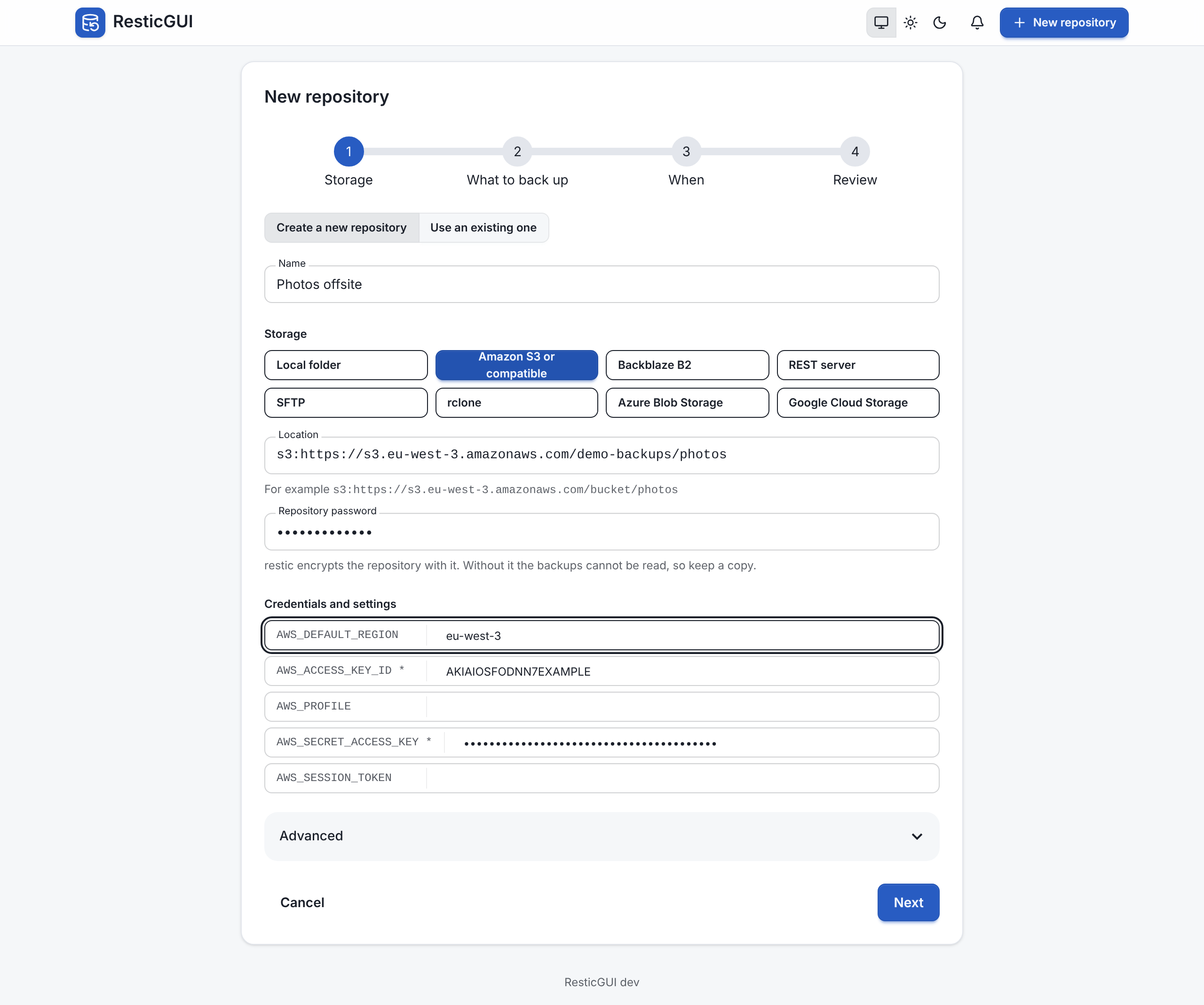
Storage
ResticGUI supports the storages of restic. Pick one when you add a repository; the location starts with its prefix.
| Storage | Location example | Settings |
|---|---|---|
| Local folder | /srv/restic/photos | An absolute path on the machine running ResticGUI, such as a mounted disk or NAS share |
| Amazon S3 and compatible | s3:https://s3.eu-west-3.amazonaws.com/bucket/photos | AWS_ACCESS_KEY_ID, AWS_SECRET_ACCESS_KEY; optional AWS_DEFAULT_REGION, AWS_PROFILE, AWS_SESSION_TOKEN |
| Backblaze B2 | b2:bucket:photos | B2_ACCOUNT_ID, B2_ACCOUNT_KEY |
| REST server | rest:https://backup.example.com:8000/photos/ | Optional RESTIC_REST_USERNAME, RESTIC_REST_PASSWORD |
| SFTP | sftp:user@host:/srv/restic/photos | An SSH key the ResticGUI user can use, without a passphrase, and the host in known_hosts |
| rclone | rclone:remote:photos | An rclone remote; optional RCLONE_CONFIG |
| Azure Blob Storage | azure:container:/photos | AZURE_ACCOUNT_NAME, and AZURE_ACCOUNT_KEY or AZURE_ACCOUNT_SAS; optional AZURE_ENDPOINT_SUFFIX |
| Google Cloud Storage | gs:bucket:/photos | GOOGLE_PROJECT_ID, and GOOGLE_APPLICATION_CREDENTIALS or GOOGLE_ACCESS_TOKEN |
S3-compatible services work with their own endpoint, for example s3:https://s3.eu-central-003.backblazeb2.com/bucket, s3:https://<account>.r2.cloudflarestorage.com/bucket or a self-hosted Garage at s3:http://garage.lan:3900/backups.
Credentials
The form shows the variables of the chosen storage, under Credentials and settings. The secret ones (keys, passwords, tokens) are saved encrypted with the server's key and are never sent back to the browser: in a repository's settings, the form lists which ones are stored, and Replace sets them all again. ResticGUI passes them to restic as environment variables, only for that repository's commands.
Advanced settings
Under Advanced:
- Host name in snapshots: the host name recorded in the snapshots. ResticGUI uses the machine's name by default. Set it to keep a series of snapshots going when the container or the machine changes name.
- Compression:
auto(default),maxoroff. - Skip files larger than: such as
2G, for--exclude-larger-than. - CA certificate file: the path of a PEM file, such as
/etc/ssl/my-ca.pem, for a server whose certificate comes from a private authority, such as a REST server or S3 on your network. - restic options:
-ooptions, onekey=valueper line, such ass3.storage-class=STANDARD_IAorsftp.command=ssh -p 2222 user@host -s sftp.