
Hooks
Hooks run around each backup of a repository: before it starts, after it succeeds, or after it fails. Set them in the repository's Settings, under Hooks. Use them to dump a database before the backup, to stop and start a service, or to tell another system how it went.
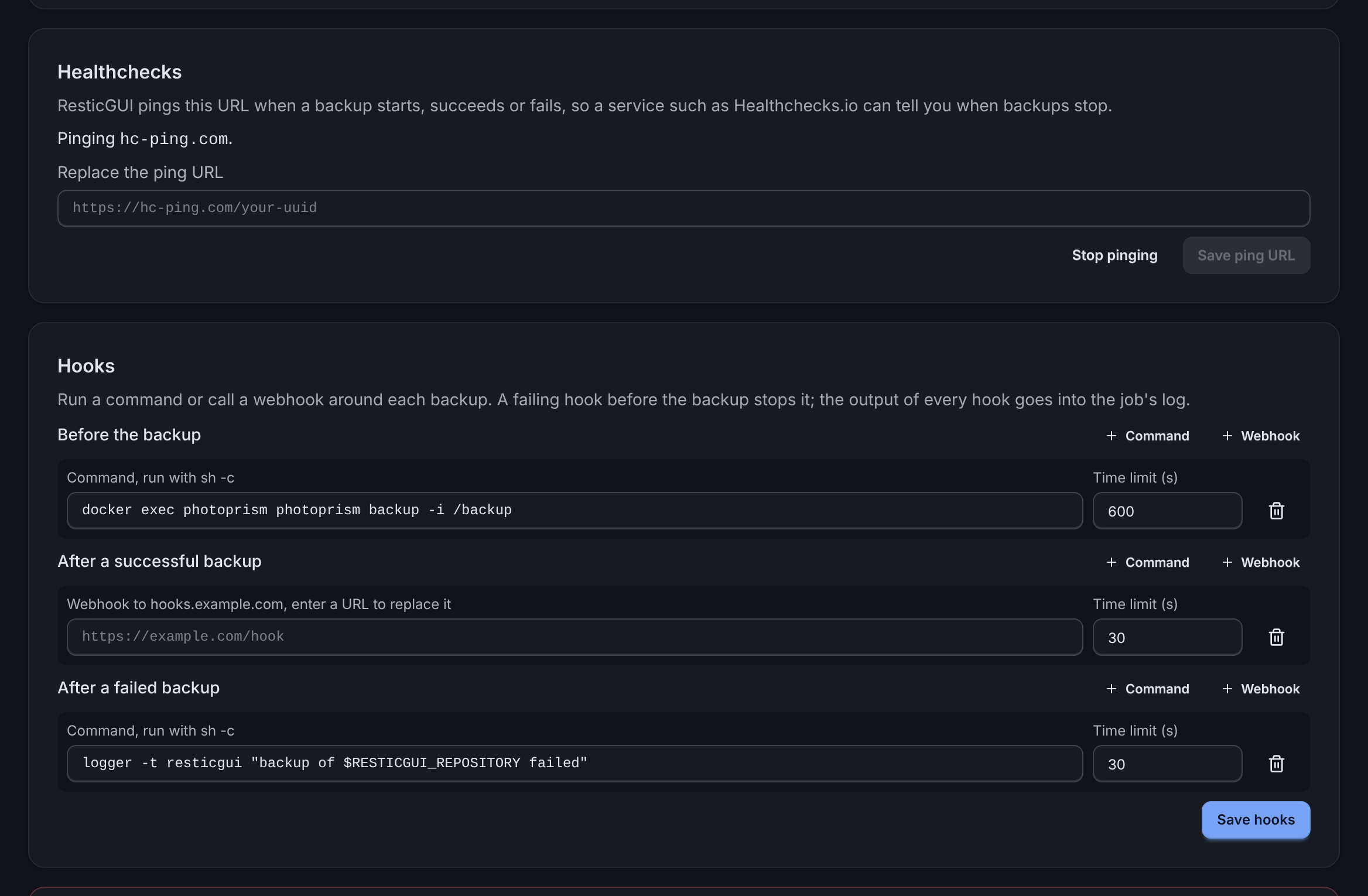
Kinds
Webhook: ResticGUI sends a
POSTwith a JSON body to the URL. Any2xxanswer is a success. Webhooks need no setting.Command: ResticGUI runs the command with
/bin/sh -c, with the rights of the ResticGUI process. Because anyone who can use ResticGUI could then run commands on the server, commands are off until the configuration allows them:yamlhooks: commands: trueAn exit code other than 0 is a failure.
What a hook receives
A command gets these environment variables; a webhook gets the same values as a JSON body (event, repository_id, repository, job_id, status, snapshot_id, error):
| Variable | Value |
|---|---|
RESTICGUI_EVENT | before, success or failure |
RESTICGUI_REPOSITORY_ID | The repository's id |
RESTICGUI_REPOSITORY | The repository's name |
RESTICGUI_JOB_ID | The backup job's id |
RESTICGUI_STATUS | succeeded or failed; empty before the backup |
RESTICGUI_SNAPSHOT_ID | The new snapshot, after a successful backup |
RESTICGUI_ERROR | Why the backup failed, after a failed one |
Order, time limits and failures
- Hooks of one event run one after the other, in the order shown.
- Each hook has a time limit, 5 minutes unless set otherwise (1 second to 24 hours). A hook that runs longer is stopped and counts as failed.
- A before hook that fails stops the backup: it does not run, the job fails with
before hook N failed: ..., and the failure hooks run. - A success hook that fails keeps the backup succeeded, as the snapshot was made; the job shows the hook's error.
- The last lines of each hook's output, or a webhook's answer, go into the job's log, marked
[before hook 1],[success hook 1]and so on.
A webhook URL can carry a token, so ResticGUI stores it encrypted and shows only its host. To change it, enter a new URL; to keep it, leave the field empty.
Examples
Dump a PostgreSQL database into a folder that the backup includes, before each backup:
pg_dump --format=custom --file=/srv/dumps/app.dump appStop a container for a consistent copy, and start it again whatever the outcome (one hook on success, one on failure):
docker stop nextcloud          # before
docker start nextcloud         # after success, and after failure
Write to the system log when a backup fails:
logger -t resticgui "backup of $RESTICGUI_REPOSITORY failed: $RESTICGUI_ERROR"Tell another service through a webhook, which receives:
{
  "event": "success",
  "repository_id": 1,
  "repository": "Photos",
  "job_id": 42,
  "status": "succeeded",
  "snapshot_id": "5fe4a3b5c2e8d1f0a9b7c6d5e4f3a2b1c0d9e8f7a6b5c4d3e2f1a0b9c8d7e6f5"
}