What and when to back up
Folders and exclusions
Each repository has a list of folders and files to back up, and exclude patterns. Pick folders with the browser or type their paths. Patterns follow restic's --exclude rules, one per line:
*.tmp
/home/*/.cache
/home/*/Downloads
node_modules
The browser and the API only accept paths under the folders the configuration allows, paths.roots. Leave it empty to allow every path, for example on a desktop where ResticGUI runs as your user.
Change them later in the repository's Settings, under What to back up. The snapshots stay in the same series: ResticGUI groups them by host and repository, not by paths, so retention keeps working when you add a folder.
Schedules
Each repository has three schedules, all optional:
| Schedule | Runs | Typical |
|---|---|---|
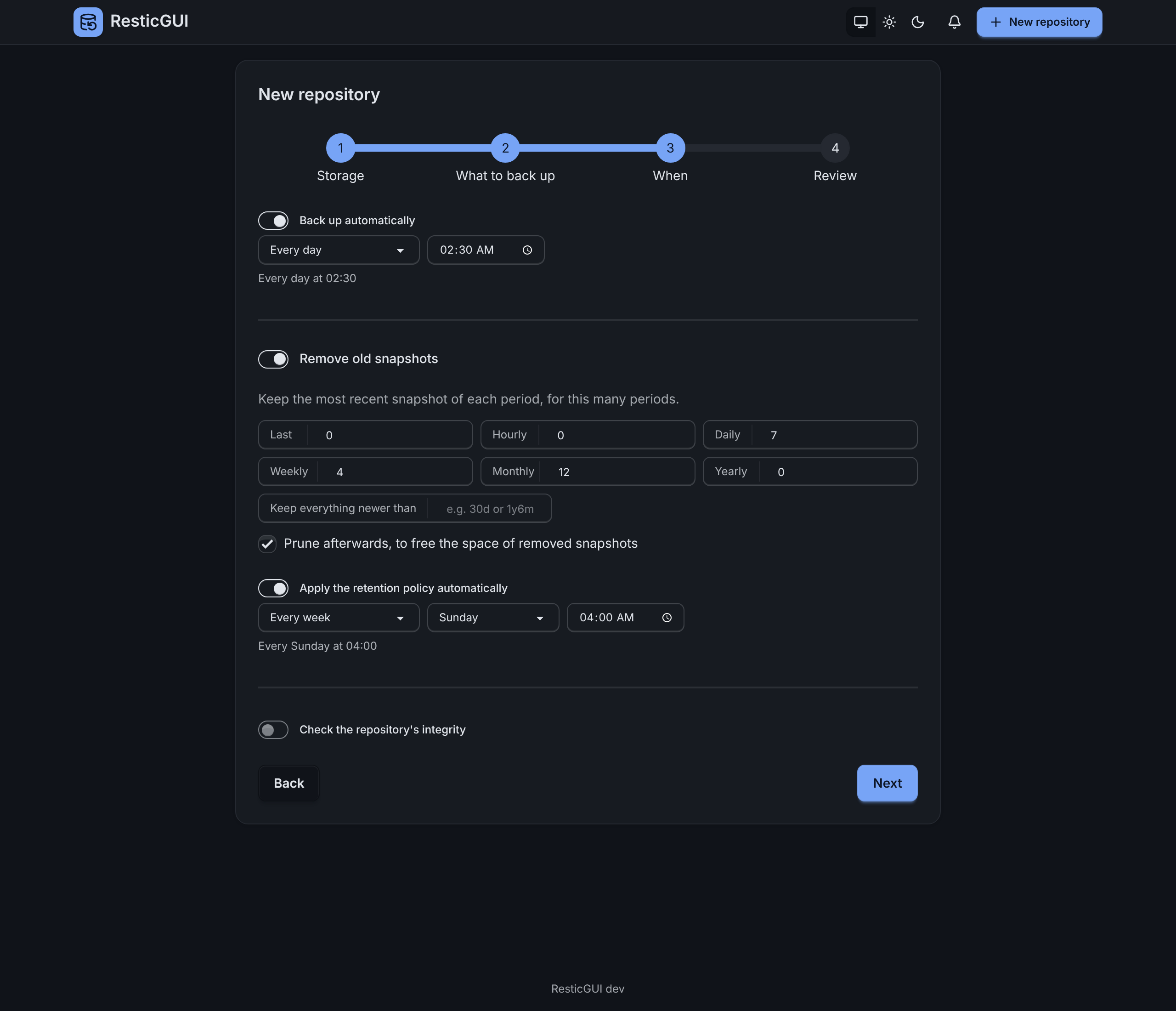
| Back up automatically | restic backup | Every day at 02:30, or every hour |
| Apply the retention policy | restic forget, and prune if chosen | Every Sunday at 04:00 |
| Check the repository's integrity | restic check | The first day of the month |
Choose every hour, every few hours, every day, some days of the week, a day of the month, or type a cron expression:
| Cron | Means |
|---|---|
30 2 * * * | Every day at 02:30 |
0 */6 * * * | Every 6 hours |
0 21 * * 1-5 | Weekdays at 21:00 |
0 3 1 * * | The 1st of the month at 03:00 |
Times are in the server's time zone: set TZ for the service or the container, such as TZ=Europe/Paris. The repository page shows the next run. Jobs of one repository wait for each other; a schedule whose previous run is still going skips that time. A backup missed because the server was off runs at its next time, and a notifier can tell you about it.
Run now
Back up now starts a backup whatever the schedule. More holds the other jobs: apply the retention policy, prune, check, unlock a repository left locked by a crashed restic, and create the repository if it does not exist yet.
Jobs run one at a time per repository, and up to jobs.workers at once across repositories. A running job shows its progress live, files and bytes, and can be stopped; restic leaves no lock behind.
Runs
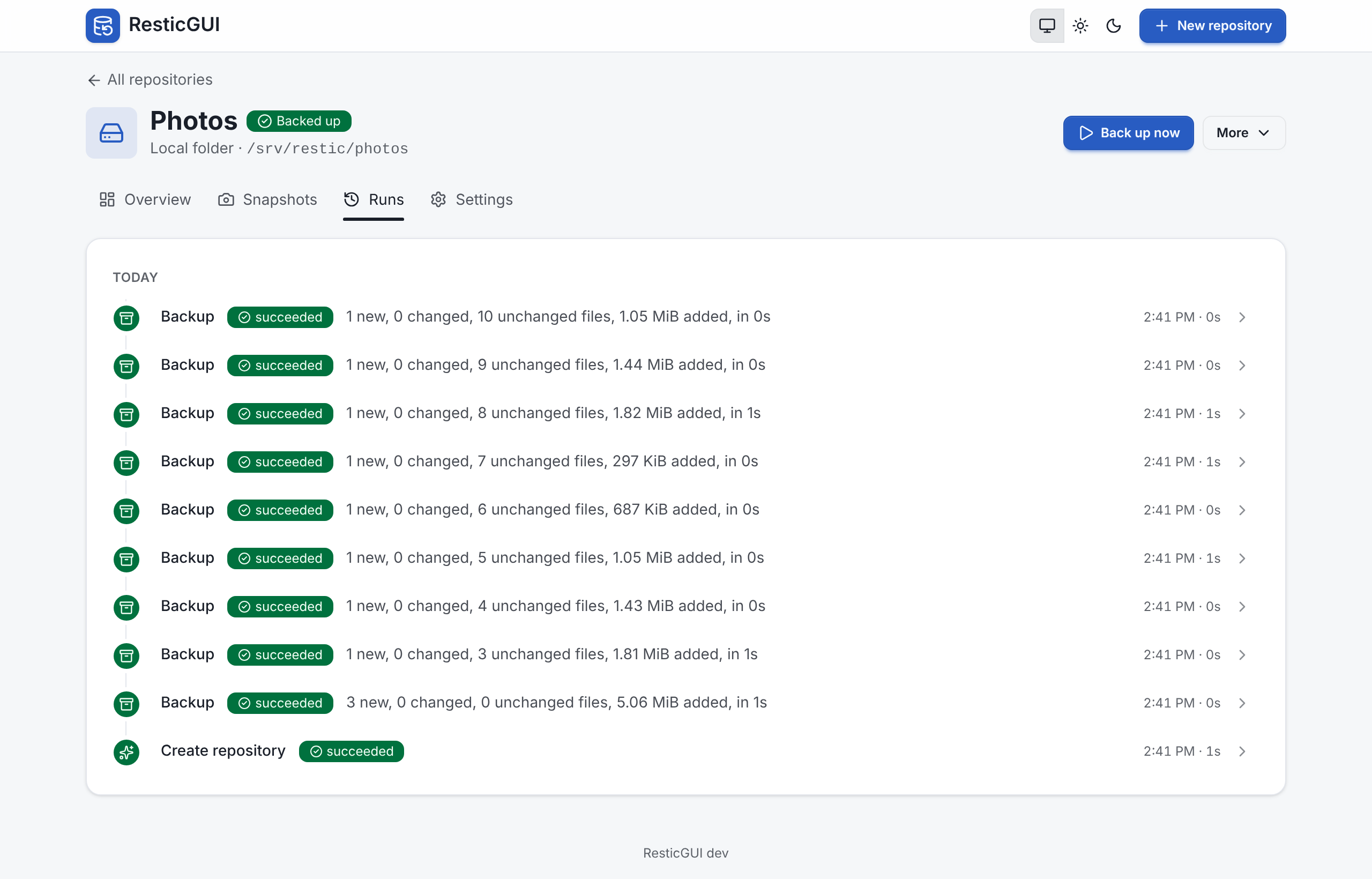
The Runs tab lists every job by day: what started it, how long it took, what the backup added, and its log. A backup where some files could not be read finishes as succeeded with a warning that lists them.